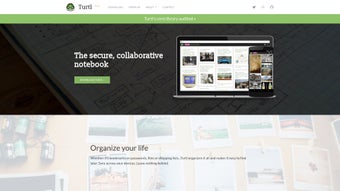

Download Turtl – Free Secure Document Management for Mac
Overview
Turtl is a free, Mac‑focused document management application that turns the chaotic pile of PDFs, Word files, spreadsheets, and notes into a tidy, searchable library. Built with a clean, minimalist interface, Turtl lets you create collections, tag files, and add rich metadata without the overhead of bulky enterprise solutions. Whether you’re a freelance writer juggling client briefs, a small business owner archiving invoices, or a student organizing research papers, Turtl’s core promise is simple: store, find, and share documents securely, all from one place.
The app lives in the Business & Productivity category, reflecting its aim to boost workflow efficiency. Unlike many paid alternatives, Turtl offers its full feature set under a free license, making it accessible for personal and professional use alike. Security is baked in: documents are encrypted at rest, and sharing links are generated with time‑limited access controls. The development team has focused on performance, ensuring that even large libraries load quickly on macOS Monterey and later.
What truly sets Turtl apart is its attention to the Mac ecosystem. It leverages native macOS technologies such as Spotlight indexing and the dark mode appearance, delivering a seamless experience that feels native rather than an afterthought. In the sections that follow, we’ll dive deeper into its feature list, walk through the installation process, explore compatibility, and weigh the pros and cons to help you decide if Turtl is the right tool for your document workflow.
Key Features & Benefits
- Secure Encryption: All files are encrypted on disk using AES‑256, protecting sensitive data from unauthorized access.
- Intuitive Tagging System: Add multiple tags per document and filter by tag combinations for instant retrieval.
- Smart Collections: Organize documents into custom collections that can be nested for hierarchical structure.
- Full‑Text Search: Powered by macOS Spotlight, Turtl indexes the contents of PDFs, Word files, and plain text for lightning‑fast search.
- One‑Click Sharing: Generate secure share links with optional expiration dates and password protection.
- Version History: Track changes and revert to previous versions of a document without leaving the app.
- Dark Mode Support: Seamlessly switches with the system theme, reducing eye strain during late‑night work.
- Cross‑Device Sync (Beta): Sync your library across multiple Macs via iCloud, ensuring you have access wherever you go.
Beyond the headline features, Turtl’s design philosophy emphasizes speed and minimalism. The sidebar remains collapsible, giving you a larger canvas for reading or editing documents. Drag‑and‑drop functionality lets you import files directly from Finder, while the built‑in preview pane supports most common formats without needing external applications.
For professional environments, the audit log feature records who accessed or modified a document, providing a lightweight compliance layer. Meanwhile, the free license removes cost barriers, encouraging adoption across teams of any size. The combination of security, ease of use, and native macOS integration makes Turtl a compelling alternative to larger, more complex document management suites.
Installation, Usage & Compatibility
Step‑by‑Step Installation
- Visit the official Turtl website and click the “Download for macOS” button.
- The installer (a .dmg file) will mount automatically. Drag the Turtl icon into the Applications folder.
- Open Turtl from Applications. macOS may warn you about an unidentified developer; choose “Open Anyway” in System Preferences > Security.
- On first launch, you’ll be prompted to create a master password. This password encrypts your local vault and is never stored on a server.
- Sign in with your Apple ID to enable iCloud sync (optional but recommended for multi‑device access).
Getting Started with Your First Collection
After installation, the welcome screen guides you through creating your first collection. Click the “+” button in the sidebar, name the collection (e.g., “Client Contracts”), and start dragging files into it. Use the tag bar at the top to add descriptive tags like “2024”, “Finance”, or “Urgent”. The search box instantly filters results as you type, thanks to Spotlight indexing.
System Requirements & Compatibility
Turtl runs on macOS 11 (Big Sur) and later, including Monterey, Ventura, and Sonoma. The app is optimized for both Intel‑based Macs and Apple Silicon (M1/M2) processors, delivering native performance on both architectures. While a Windows version is currently in development, Mac users benefit from full feature parity and regular updates delivered through the built‑in auto‑update mechanism.
For users who rely on virtual environments or remote desktops, Turtl can be installed inside Parallels Desktop or VMWare Fusion without loss of functionality, as long as the host OS meets the minimum version requirement. The developers have also announced plans to release an iOS companion app in the upcoming quarter, extending document access to iPhone and iPad users.
Pros, Cons & Frequently Asked Questions
Pros
- Completely free with no hidden subscription fees.
- Strong AES‑256 encryption keeps data safe.
- Native macOS experience with dark mode and Spotlight integration.
- Easy tagging and smart collections improve organization.
- One‑click secure sharing and version history enhance collaboration.
Cons
- No native Windows client yet; macOS‑only at the moment.
- Advanced workflow automation (e.g., custom scripts) is limited.
- iCloud sync is still in beta and may experience occasional conflicts.
- Large‑scale enterprise features like role‑based access control are absent.
FAQ
Is Turtl really free or are there hidden costs?
Turtl is 100% free for personal and small‑business use. All core features, including encryption, tagging, and sharing, are available without a subscription. Future premium plans may target large enterprises, but the free tier remains fully functional.
How secure is the encryption used by Turtl?
Turtl encrypts every file on disk with AES‑256, one of the strongest encryption standards available. The master password you create is never stored or transmitted, ensuring only you can decrypt your vault.
Can I sync my documents across multiple Macs?
Yes. By enabling iCloud sync during the initial setup, Turtl will automatically keep your library consistent across all Macs signed into the same Apple ID. The sync feature is currently in beta, but most users report reliable performance.
What file formats does Turtl support?
Turtl supports PDF, DOC/DOCX, XLS/XLSX, PPT/PPTX, TXT, RTF, and most common image formats (PNG, JPG). The built‑in preview pane can display these files without opening external applications.
Is there a way to recover a lost master password?
Because the master password is never stored, Turtl cannot recover it for you. If you forget the password, you will need to reset the vault, which will delete existing encrypted files. It is strongly recommended to store the password in a secure password manager.
Conclusion & Call to Action
Overall, Turtl delivers a robust, secure, and genuinely free document management solution for Mac users who value simplicity without compromising on security. Its native macOS integration, powerful tagging system, and one‑click sharing make it a standout choice for freelancers, small teams, and anyone who wants to keep their digital paperwork organized. While the lack of a Windows client and the beta status of iCloud sync may be drawbacks for some, the core experience is polished enough to replace ad‑hoc folder structures and costly enterprise tools for many everyday scenarios.
If you’re ready to streamline your document workflow, protect your files with AES‑256 encryption, and enjoy a clean, distraction‑free interface, download Turtl today. Click the button below to get the latest version, set up your master password, and start building a smarter, more secure document library.







